 TipHaven
What did I really make?
Cash tips, card tips, wages, and tip-outs become one honest total and hourly rate.
$300 total · $50/hrThe shift tracker built for tipped workers
Log your tips, wages, hours, and tip-outs. TipHaven turns them into one number you can actually use: what your time was worth.
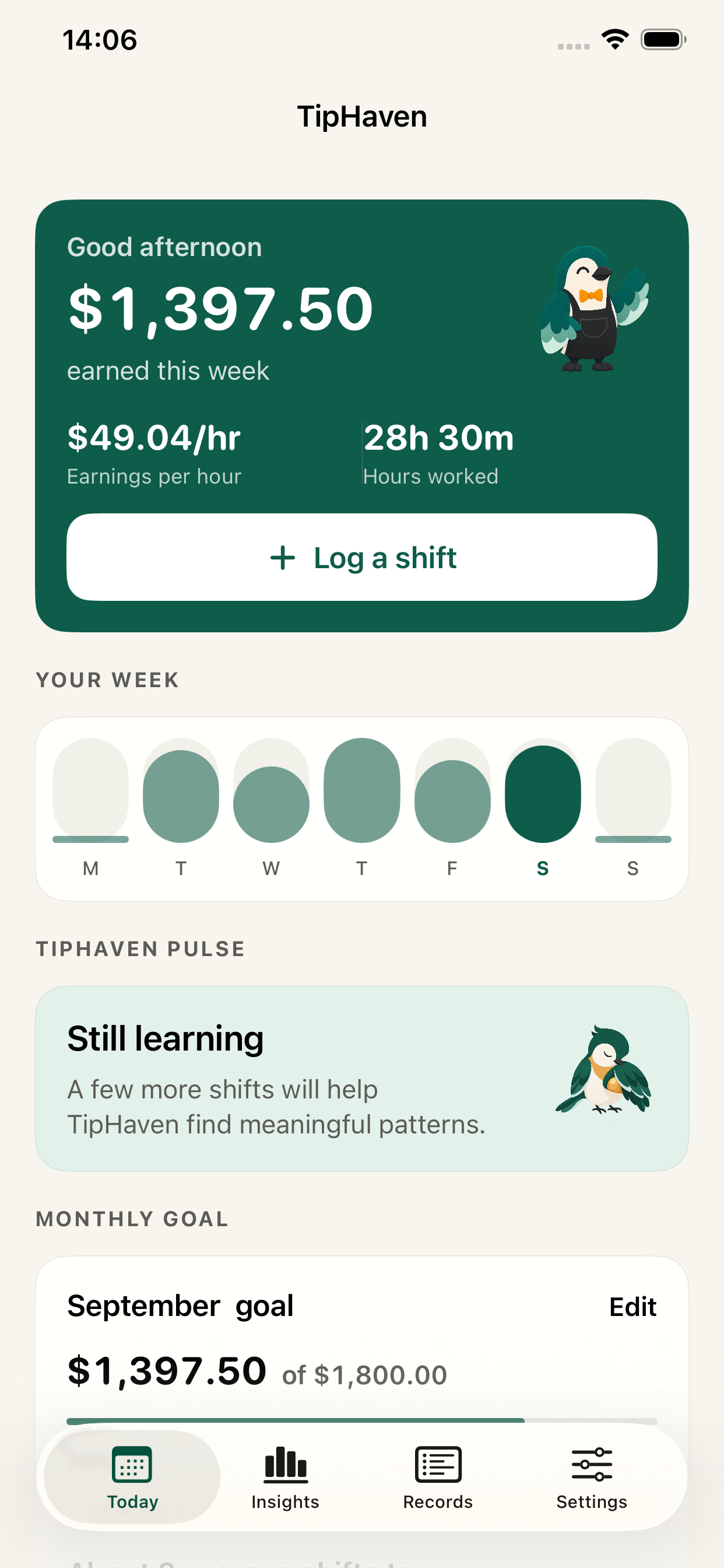
For servers, bartenders, baristasand anyone whose pay changes every shift
One quick shift entryreplaces notes, calculators, and guesswork
Your own work patternsshow where your time pays best
The offer, in one sentence
Every entry answers the questions a pile of tip totals never can.
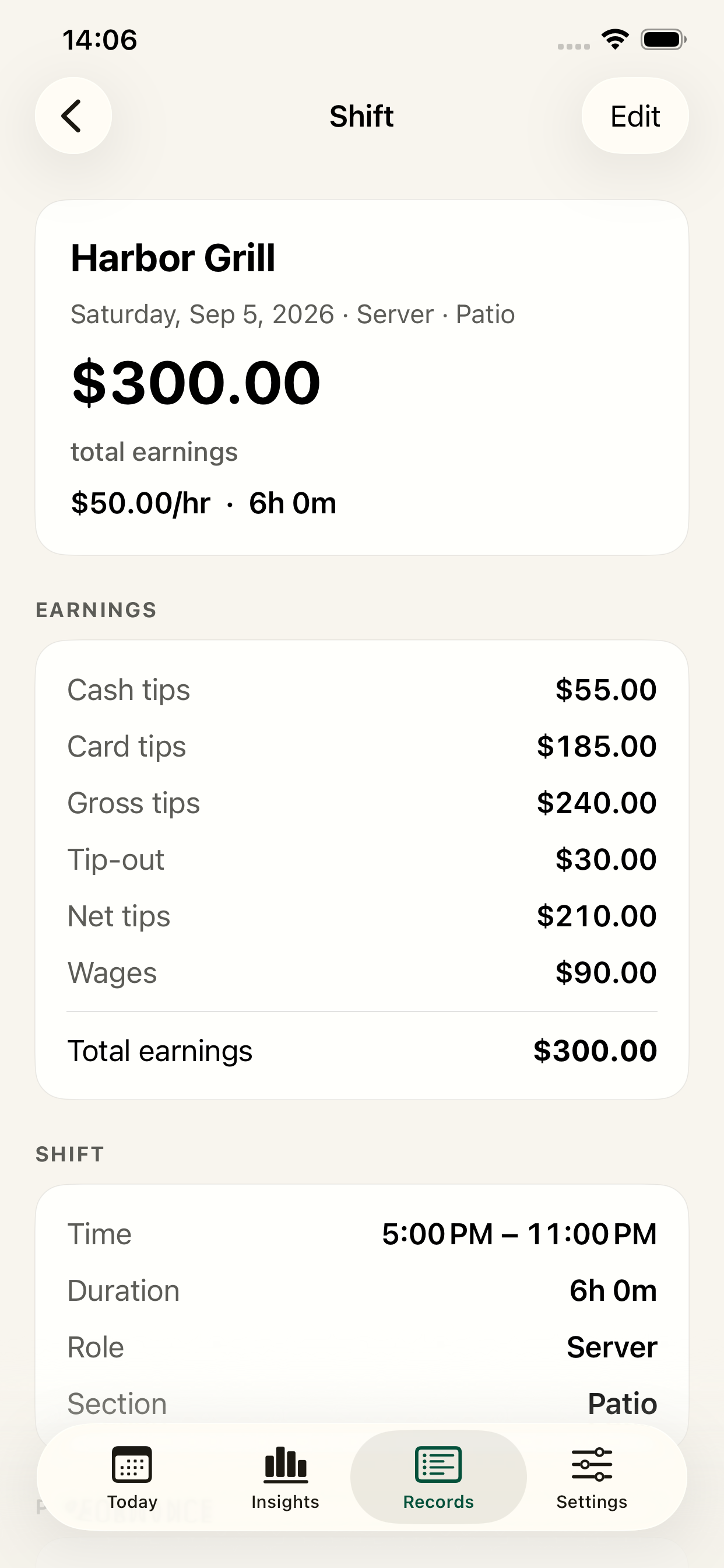
Cash tips, card tips, wages, and tip-outs become one honest total and hourly rate.
$300 total · $50/hrCompare jobs, roles, and days without doing the math—or trusting your memory.
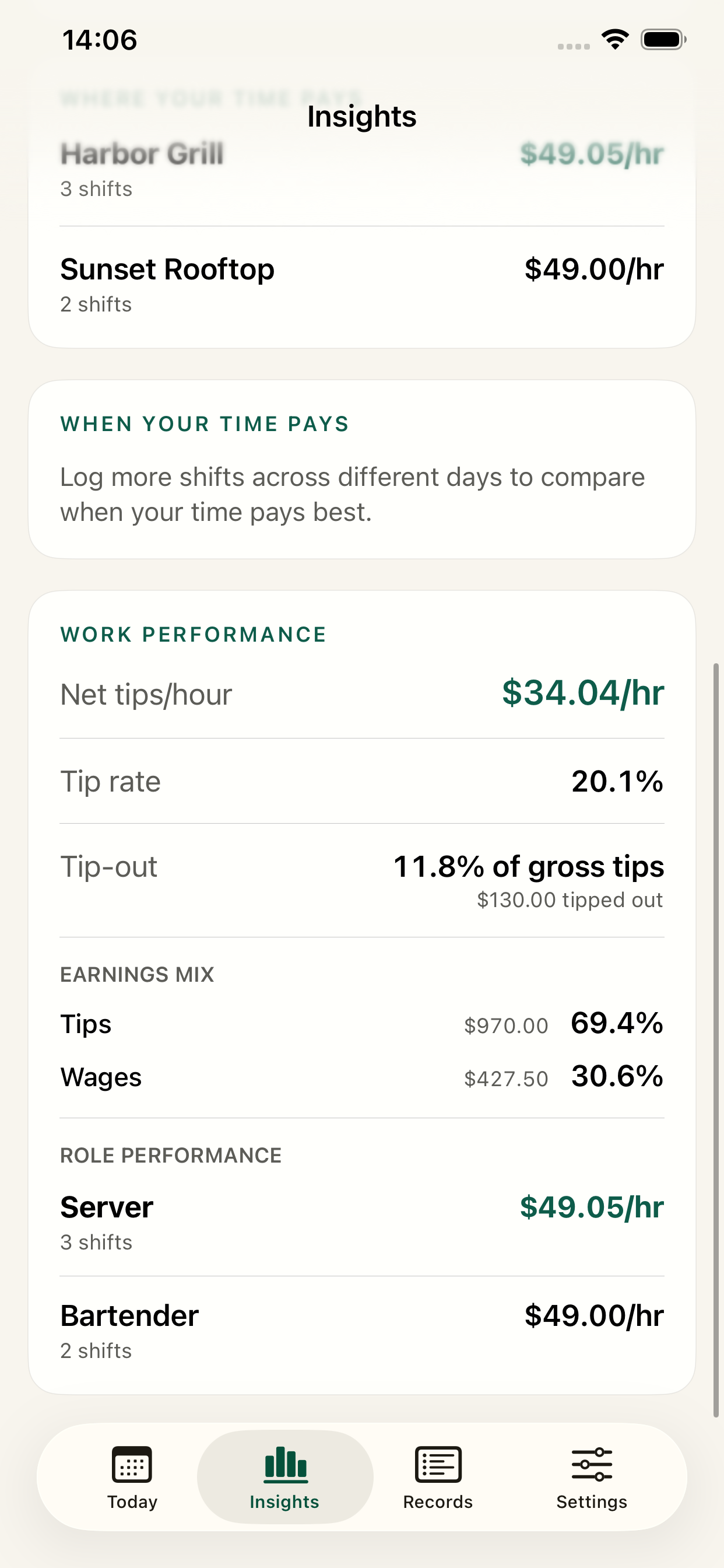
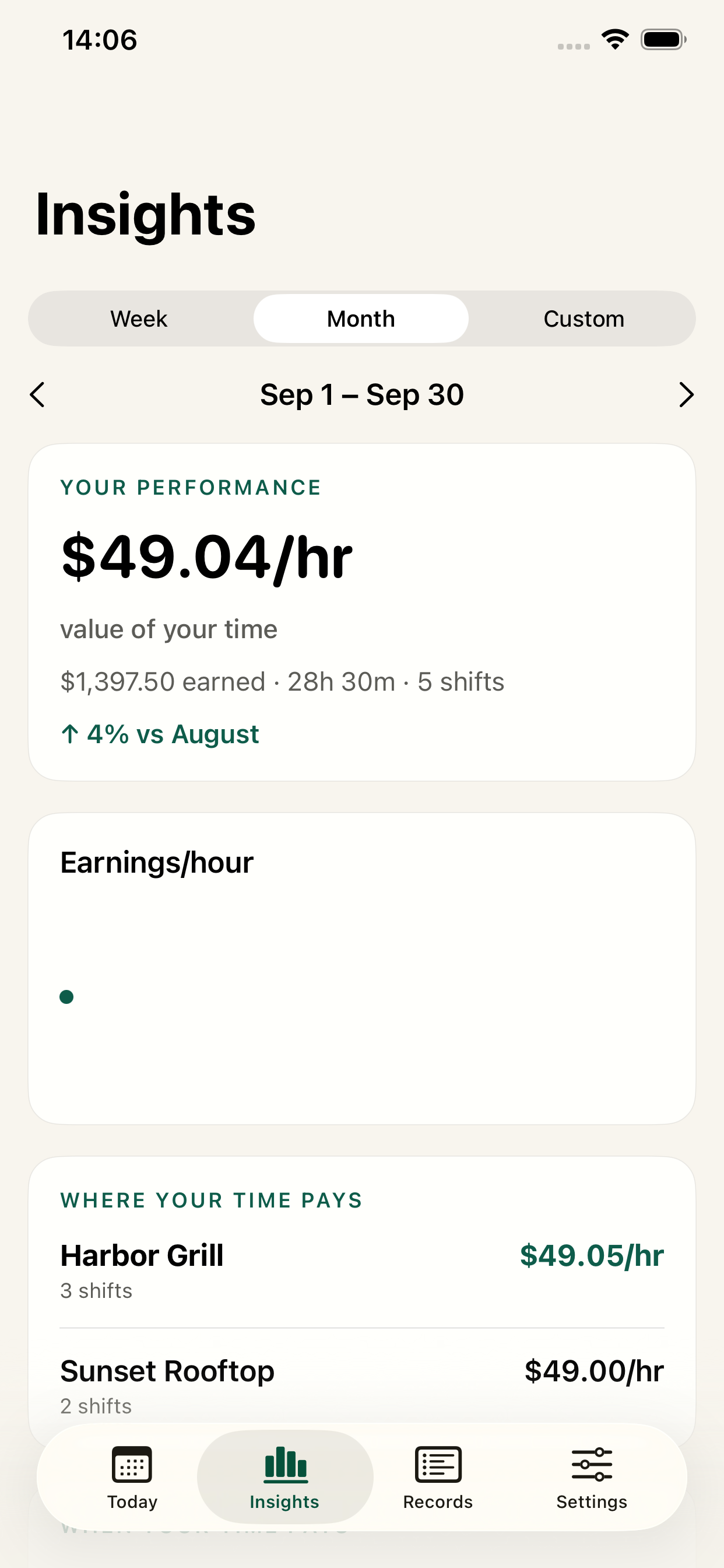
Harbor Grill · $49.05/hrSee weekly earnings, monthly progress, and trends while there’s still time to act.
↑ 4% vs last month1 · Capture the truth
Enter only what matters to you—hours, cash and card tips, wages, sales, tip-outs, role, and section. Job defaults make the next entry even faster.
2 · See the pattern
TipHaven compares the places, roles, and days you actually work. No generic advice—just your numbers, made useful.
3 · Keep your proof
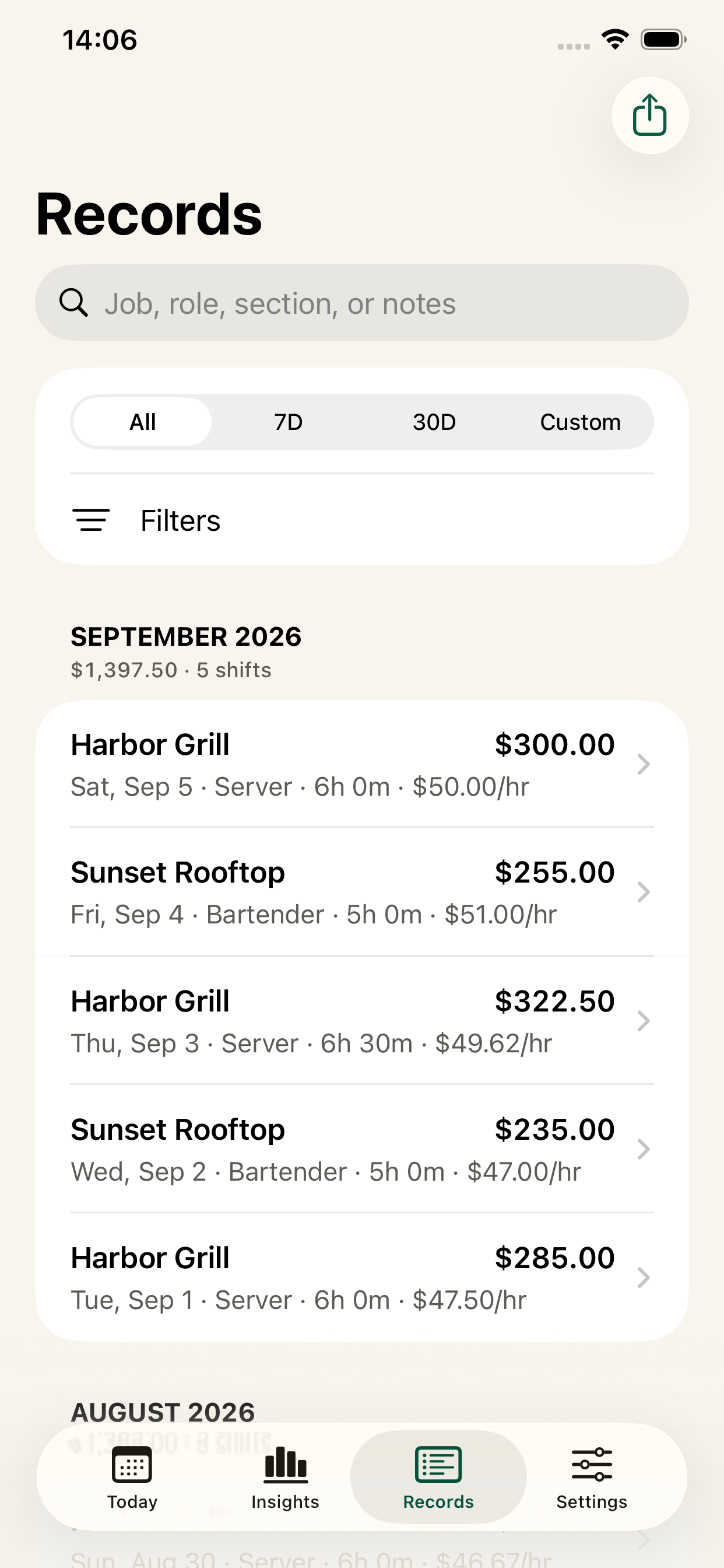
Every completed shift becomes a clean, searchable record. Look back by month, filter the noise, and pull up the exact details when you need them.
Without TipHaven
With TipHaven
Your money. Your business.
No TipHaven account. Your earnings data stays on your iPhone unless you choose to export or back it up. TipHaven doesn’t sell your personal information or track you across other companies’ apps and websites.
Local-firstYour records live on your device.
No bank connectionEnter only the details you choose.
You stay in controlEdit, export, back up, or delete your data.
Read the full privacy policy →Choose your plan
Choose monthly or annual access inside the app. Eligible new annual subscribers can try TipHaven free for 3 days.
Apple shows your local price and trial eligibility before purchase. Manage or cancel anytime in your Apple account settings.
One place to know
If one better-informed shift changes where you spend your time, TipHaven has already earned its place.
Straight answers
Servers, bartenders, baristas, hospitality professionals, and anyone whose earnings change from shift to shift.
Log only the details you care about. Saved job defaults speed up repeat entries, and every shift immediately adds to your earnings history and insights.
No. You enter the details you choose. TipHaven is a personal record, not payroll, tax, accounting, or financial advice.
On your iPhone. The developer cannot remotely view or recover it. You control exports, backups, edits, and deletion.
Yes. Manage or cancel through your Apple account settings. Cancellation stops future renewals and access continues through the paid period.
Email support@tiphaven.app.

Your next shift is going to pay something
Track the shift. Find the pattern. Put your time where it pays.
Get TipHaven for iPhone ↗No account · Private by design · Cancel anytime